
Can a phone 3D scan a broken part well enough to copy?
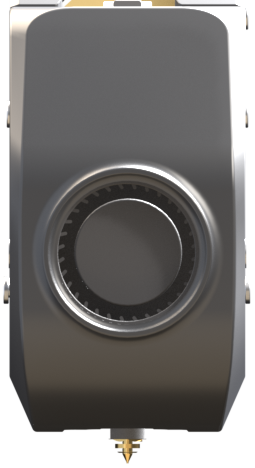
Shiny metal, clear plastic. Point a phone at either one and watch the scan fall apart.
Short answer
You can use your phone as a 3D scanner for a broken part, but treat the result as a first look, not a measurement: shiny, clear and very thin surfaces are hard for a phone, and a scan copies the crack too. Check it by hand against the part. If it falls short, LOUEI 3D PRINT can start from the part itself, photos or measurements.
Surfaces a phone finds hard
One phone maker’s own scanning guidance says to avoid shiny, clear and very thin objects and calls plain, textureless ones hard, and a fresh break adds thin, ragged edges.
A phone scanning app builds a shape from many photos taken as you move round the part, matching the same spot from one view to the next. Some surfaces break that matching: a highlight slides across a shiny part as you move, a clear part shows whatever is behind it, and a plain face gives the app nothing to hold on to. A 2026 research preprint calls shiny, see-through and low-texture objects “notoriously challenging” for this kind of scanning.
So if your scan came out lumpy or with holes in it, the surface may be the cause, not you or the phone. Each row of the table says why a surface is hard, what you can try, and when to stop and bring the part instead.
Five surfaces that give a phone scan trouble.
| Surface or condition | Why a phone struggles | What you can try | When to stop |
|---|---|---|---|
| Shiny or mirror-like | Highlights shift as the phone moves, so the views stop matching. | Soft, even light, with no bright lamp or window glare falling on the part. | If the part is mirror-like and a size matters. |
| Clear or see-through | Multi-view scanning finds see-through surfaces very hard, and a phone maker advises avoiding them. | Little: bring the part, photos or measurements instead. | At once, if a size matters. |
| Very thin | A phone maker advises avoiding very thin structures; a break often leaves a thin edge (our reading of that advice). | Move slowly round the edge, then measure its thickness by hand. | If the thin edge is the part you need copied. |
| Plain, with little texture | Surfaces with little texture are hard to stitch together from many views. | Rest it on a textured background. | If the scan keeps drifting or breaking up. |
| Dim light | A phone maker asks for soft, diffuse light; its app warns when it is too dark. | Add soft, even light and scan again. | If the warning keeps coming back after you add light. |
| Bends or moves | A part that bends or moves changes shape between views. | Rest it still and move the phone, not the part. | If it will not hold still. |
Is a phone 3D scan the real size of the part?
Not unless you check it: a phone scan can have the right shape at the wrong size, so measure a few lengths of the part by hand and compare them with the scan.
One maker’s guide to phone scanning warns that photo-based phone scans carry no true size of their own. It says to measure the longest straight length with calipers before you scan, then scale the model to match, and to pick a long length because a scale error grows with the span.
Pages that print an accuracy figure for phone scans give different numbers, and none of them was measured on your part, so treat them as a reason to measure, not as a promise. Measure each length more than once and write down every reading.
- Longest straight span: end to end, along the body.
- One hole across: the screw hole, edge to edge.
- Thickness at the meeting face: where it touches the part it fits.
Measure these three by hand and compare them with the scan.
Will a scan of a broken part copy the crack too?
Yes: a scan records the part as it is now, so the crack, a chipped edge and a missing piece all become part of the scan.
A scan describes a surface, not the shape the part was meant to have. Printing a copy needs only a clean mesh, but changing a shape means work in CAD, so a copy of a broken part has to be rebuilt before it is a replacement.
The break makes the scan harder too. A phone maker advises avoiding very thin structures, and a break often leaves a thin, ragged edge right where the part failed; that is a reading of the advice, not a test result. Keep every piece, even the small ones, and photograph the break before you try to fit them together.
At LOUEI 3D PRINT, that is the work: scanning that rebuilds the shape in CAD, then a replacement made in-house. Some parts cannot be reproduced, such as badly damaged ones or ones with missing geometry.
- Crack: copied into the scan as a notch.
- Snapped hook: missing from the scan of the arm.
- Loose piece: scanned as a separate lump, not joined back.
- Thin arm: a phone maker advises avoiding very thin structures.
- Screw hole: check its size by hand, not from the scan.
A scan copies the part as it is, break included.
When is a phone scan not worth trying?
A phone scan is not worth trying when a fit decides whether the part works, when the part is clear or mirror-like, or when it is small with fine detail, which one scanner maker says a phone struggles with.
You do not have to scan at all, and you do not have to buy a scanner or an app. In these cases measure by hand instead of trusting a scan, and bring what the part can still show.
- A tight fit: if it must snap, seal or slide, measure it by hand.
- Small fine detail: small teeth or threads; one scanner maker says small items and fine detail are hard for a phone.
- Clear or mirror-like: the surfaces a phone maker says to avoid.
- What to bring instead: the pieces, the part it fits, photos with a ruler beside it, and your measurements.
At LOUEI 3D PRINT you can start from a broken part, a physical part, photos or measurements, and the review is free; if you already have a scan, send it as an STL or OBJ file with your photos.
How do you scan a part with your phone, step by step?
To scan a part with your phone, set it still in soft, even light, move the phone slowly all the way round it, then check one length by hand.
These steps come from a phone maker’s scanning guidance and one maker’s guide to phone scanning. They help with any part, but they do not make a shiny or clear surface easy.
- Soft light: a bright room or a window out of direct sun, with no lamp glare on the part.
- Part at rest: set it where it cannot move, on newspaper if its faces are plain; move the phone, not the part.
- A dry run: go round once without scanning and check the whole part stays in the frame.
- Slow circles: move slowly and steadily all the way round, so each view overlaps the last.
- The underside: if the part is stiff, turn it over and go round again; leave a soft or bent part as it lies.
- Check by hand: measure the longest straight span and compare it with the scan.
Before you contact any shop
Have these ready. Any shop will ask for most of them.
- Photos: the whole part on plain paper, the same view with a ruler beside it, and the break up close.
- The sizes you can measure, and what the part fits onto or into.
- Where the part lives and what it does.
- How many you need.
- Any file or drawing you have, even an old one.
At LOUEI 3D PRINT you can start from anything: an idea, a sketch, a photo, CAD, measurements, the broken part itself or a previous order. We read STEP, STL, OBJ, IGES, DXF, PDF drawings and photographs.
When this is not a job for a shop
- Car parts that protect people are not a job for a phone scan and a printer: Canada’s Motor Vehicle Safety Act sets standards that some vehicle equipment must meet.
- In BC, a gas appliance must carry a certification mark to be sold, installed or used, so do not scan and copy a part for one.
Some parts cannot be reproduced: parts that are badly damaged, parts with missing geometry, and parts that need a certification we do not hold.
Written by the LOUEI 3D PRINT team. LOUEI 3D PRINT makes custom and replacement parts: 3D scanning and reverse engineering, FDM and resin 3D printing, molding and casting. Serving North America.